Best Multiple TV Wall Mounts for Video Walls and Menu Boards
The best multiple TV wall mount depends on how many screens you need and how you want to arrange them. The VIVO 2×2 mounts are best for four-screen grids, while its 1×2 model suits a two-TV display. Choose the VIVO 1×4 for a vertical row of four screens or a Monoprice mount for a horizontal menu board. Before buying, compare screen size, VESA pattern, layout, and weight limits.
| Mount | Layout | Best For |
|---|---|---|
| VIVO MOUNT-VW65-4 | 2×2 | Four-screen grid |
| VIVO MOUNT-VW65-2 | 1×2 | Two-screen display |
| J-Tech Digital JTECH-VMM-KIT22 | 2×2 | Adjustable four-screen grid |
| VIVO MOUNT-VW65-4T | 1×4 | Four-screen row |
| Monoprice 3×1 Menu Board | 3×1 | Three-screen menu board |
VIVO MOUNT-VW65-4 2×2 Pop-Out Video Wall Mount
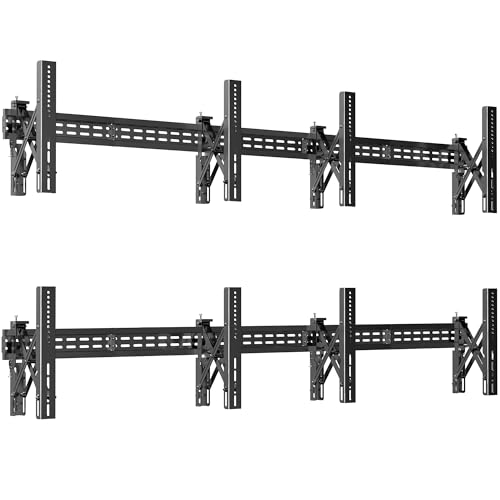
This VIVO system holds four TVs in a 2×2 arrangement and supports portrait or landscape orientation. It is designed for 37- to 65-inch screens and works with listed VESA patterns from 100×100 through 600×400, including several common intermediate patterns.
Best for: Home theaters, offices, and other spaces that need a four-screen grid. Its pop-out VESA bracket arms provide access behind each TV for installation and port access. Choose this model if you want a 2×2 setup and need to reach the backs of the displays after mounting. Check each TV’s VESA pattern before selecting it.
VIVO MOUNT-VW65-2 1×2 Pop-Out Video Wall Mount

The VIVO 1×2 mount holds two 37- to 65-inch TVs in a portrait or landscape arrangement. Its supported VESA patterns range from 100×100 to 600×400. Push-in, pop-out arms allow access to the rear of the displays for installation and port access.
Best for: Buyers who need two screens rather than a full video wall. It offers a more compact two-TV layout while retaining the broad screen-size and VESA ranges listed for the VIVO 2×2 model. Avoid choosing it if your plan requires four displays; this system is designed to hold two.
J-Tech Digital Adjustable 2×2 TV Wall Mount Kit

This kit supports four 37- to 65-inch TVs in portrait or landscape orientation. It includes five sets of 450 mm wall plates and four sets of VESA brackets. Listed patterns include 100×100, 200×100, 200×200, 300×200, 400×200, 300×300, 400×300, 400×400, and 600×400.
Best for: A four-screen grid where access for installation or maintenance matters. Its pop-out arms let users reach behind a TV without removing the entire system. Choose it if you want the specified wall-plate and bracket set included. As with any multi-screen mount, confirm all four TVs have compatible VESA patterns and fit the intended arrangement.
VIVO MOUNT-VW65-4T 1×4 Pop-Out Video Wall Mount

This mount holds four 37- to 65-inch screens in a 1×4 layout, with portrait or landscape orientation supported. It accommodates VESA patterns from 100x100mm to 600x400mm. The listed weight capacity is up to 154 pounds per screen on concrete or 110 pounds per screen on wood studs.
Best for: Digital signage or display spaces that call for four screens in a row instead of a square grid. The separate concrete and wood-stud weight limits make it important to match the installation surface to the stated capacity. Do not assume the two surface types have the same limit.
Monoprice 3×1 Commercial Menu Board Mount

This commercial-series mount arranges three displays in a 3×1 menu-board layout. It supports screens between 32 and 65 inches, VESA patterns from 100×100 to 600×400, and up to 66 pounds per screen. Displays can be installed horizontally or vertically, and each screen can be tilted independently.
Best for: Restaurants, retail spaces, and other applications that need a three-display menu board. Its single-bar mounting plate is designed to align the displays, and independent tilt can help address glare. The stated per-screen limit is 66 pounds, so check each TV’s weight before purchase.
Buying Guide: How to Choose a Multiple TV Wall Mount
Which screen layout do you need?
Start with the number and position of the displays. A 1×2 mount holds two screens, a 2×2 mount creates a four-screen grid, a 1×4 mount lines up four displays, and a 3×1 mount supports a three-screen row. The layout affects how much wall space the installation needs, so plan the screen arrangement before ordering.
Do the TVs match the mount’s specifications?
Check each television’s screen size and VESA mounting pattern against the mount’s listed ranges. A compatible screen size alone does not guarantee that the mounting holes will match. For models with a stated weight capacity, compare each TV’s weight with the limit and note whether the figure depends on mounting to concrete or wood studs.
Do you need rear access or tilt adjustment?
Pop-out arms can make it easier to reach cables and ports behind a mounted display. Independent tilt is useful when screens need different angles, such as to address reflections. These features vary by model, so compare the listed mechanisms rather than assuming every multi-TV mount includes them.
What should you check before installation?
Confirm the wall surface and the mounting hardware requirements in the product instructions. Measure the intended display area and consider the orientation of each TV. Multi-screen installations need careful alignment; mounts with a single-bar plate are specifically described as helping align menu-board displays.
Frequently Asked Questions
Can one mount hold TVs in portrait or landscape orientation?
Several listed models support both orientations, including the VIVO video-wall mounts, J-Tech Digital 2×2 kit, and Monoprice 3×1 mount. Check the selected product’s specifications for confirmation.
What does VESA compatibility mean?
VESA compatibility refers to the spacing pattern of the TV’s mounting holes. Match the TV’s pattern to one of the patterns supported by the mount.
Which mount is designed for four TVs in a square?
The VIVO MOUNT-VW65-4 and J-Tech Digital JTECH-VMM-KIT22 are both 2×2 systems designed for four screens.
Which option is intended for a menu board?
The Monoprice 3×1 Commercial Series mount is specifically described as a menu-board mount and holds three displays in a row.
Should I check the wall type before buying?
Yes. The VIVO 1×4 model lists different weight capacities for concrete and wood studs. Review the selected mount’s installation instructions and limits for your wall type.