Best Projector Screen Pull Down for Home Theater and Office Presentations
Discover top-rated pull-down projector screens that balance ease of use, image quality, and durable design. This guide highlights five solid options, spanning budget-friendly to premium builds, so you can choose a screen that fits your room size, projector type, and viewing needs. Each entry includes key features, how it’s installed, and what makes it stand out for American homes and small business spaces.
Summary of Selected Products:
- Elite Screens Manual B M100H — 100-Inch diagonal, 16:9, MaxWhite screen material, 180° viewing, auto-lock height.
- Pyle 72-Inch Manual Pull Down Screen — Compact 42.5″ x 56.6″, easy auto-lock, wall or ceiling mount.
- DINAH 120-Inch Electric Screen — 120″ (4K/3D ready), remote control, motorized drop for convenience.
- VIVOHOME 80-Inch 16:9 Screen — Manual pull-down with auto-lock, versatile indoor/outdoor use.
- AKIA Screens 100-Inch — 4:3 with 16:9 and 16:10 compatibility, green-certified MaxWhite material, auto-lock.
Elite Screens Manual B 100-Inch Pull Down Screen
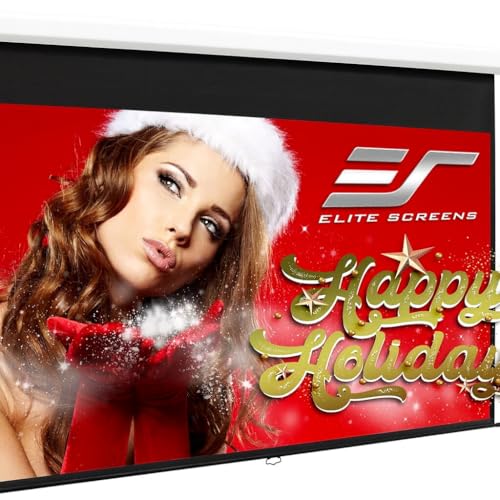
The Elite Screens M100H uses MaxWhite 2 material, designed for 4K, 8K, and 3D content with a wide 180-degree viewing angle and 1.1 gain. It supports front projection and is Greenguard certified, ensuring lower chemical emissions for indoor spaces. The screen housing sits in a compact white case, and a 2-inch interval auto-lock mechanism enables precise height adjustments for various ceilings. This model fits a 100-inch diagonal, 16:9 aspect ratio, providing a broad canvas for movies, presentations, and streaming in living rooms or small conference rooms.
Why choose this screen? It blends reliable manual operation with high-clarity projection. The 16:9 format is ideal for mainstream video formats, while the auto-lock feature reduces setup time. The light-to-moderate throw compatibility makes it a versatile option for most home theaters. The viewing angle and gain help preserve brightness when projecting from typical viewing distances.
Installation considerations include space planning for a 100-inch screen and ensuring the mounting surface can support the white case. The screen is suited for standard projectors, including UHD and HD models, and the 180° viewing angle helps ensure spectators seated off-center still see strong image quality. The Auto-Lock mechanism allows quick, repeatable height settings for future re-use.
Pyle 72-Inch Manual Pull Down Screen

The Pyle screen offers a 42.5″ by 56.6″ projection area, making it a compact option for smaller rooms. Its matte white surface supports crisp image reproduction, and the black masking borders enhance focus and contrast, especially in lower ambient light. The auto-locking mechanism ensures stable height and smooth retracting without curling, which is valuable for frequent use in classrooms or home offices.
This screen is adaptable with both wall and ceiling installations, providing mounting flexibility for different room geometries. It’s a practical choice for home theaters, meeting spaces, and educational environments where a quick, clean setup is essential. The dual-mount design helps accommodate various room heights and projector placements, making it a versatile addition to compact multipurpose spaces.
With the screen’s portability and straightforward operation, it’s well-suited for renters or spaces that require a temporary display solution. The overall build focuses on reliability and simple maintenance, which can reduce lifecycle concerns during heavy-use seasons like school terms or business presentations.
DINAH 120-Inch Electric Projector Screen

The DINAH electric screen presents a large 120-inch diagonal, designed for immersive viewing experiences in home theaters or professional settings. It is labeled for 4K 3D HD projection, ensuring sharp images with vivid color reproduction. The package includes a remote control for convenient lowering and retracting of the screen, making it a strong option for rooms where a motorized solution is preferred over manual setups.
Motorization adds convenience in environments where frequent screen changes are needed or where accessibility matters. The screen’s large size supports cinematic experiences and impactful presentations alike. When considering this model, ensure ceiling or wall space accommodates a wide drop while maintaining comfortable sightlines from seating areas. The DINAH screen aims to deliver a balance of size, clarity, and ease of use without complicating installation.
For users prioritizing a remote-controlled experience, this option minimizes manual effort and can improve classroom or conference room workflows, where the screen can be lowered with a single button press. The reliability of the projection surface helps maintain consistent brightness and color accuracy across sessions.
VIVOHOME 80-Inch 16:9 Manual Screen
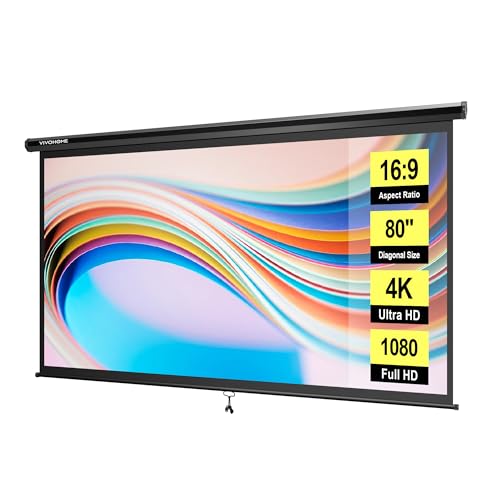
The VIVOHOME 80-inch pull-down screen follows a 70W x 40H display in 16:9, offering a balanced size for medium rooms. It features a smooth manual pull with a self-locking mechanism to hold the screen at any height, making it reliable for both indoor and outdoor use. The overall dimensions (75 x 49 inches) help determine if it will fit your wall or ceiling mounting space.
Effortless setup and flexible use make it suitable for home theaters, classrooms, meeting rooms, gaming spaces, and even karaoke areas. The screen’s light weight and simple installation reduce time-to-use, while the self-locking design contributes to consistent performance across viewing sessions. This model is a practical all-around choice for people who want a straightforward, durable screen without electronic components.
When evaluating this option, consider viewing distance and seating layout to maximize image size without compromising brightness. Since it’s a manual pull-down, you’ll want a ceiling height that allows full extension without obstruction. The 16:9 format aligns with most modern content, ensuring compatibility with common projectors and streaming setups.
AKIA Screens 100 Inch Manual Pull-Down Screen

The AKIA Screens model offers a 100-inch diagonal screen with 4:3 aspect ratio, while also providing compatibility with 92-inch 16:9 and 95-inch 16:10 formats. The view area is 60″ H x 80″ W, with an overall white case. It ships with a mounting kit and supports easy wall or ceiling installation. The screen uses MaxWhite 2 material certified for 8K/4K UHD and 3D readiness, delivering a wide 180° viewing angle and 1.1 gain, fully black backed for improved contrast.
This option emphasizes versatility, offering multiple aspect ratios in one product to accommodate different projectors and content types. The green certifications align with healthier indoor air environments, important for rooms with extended viewing sessions. The auto-lock mechanism provides reliable height settings, enabling quick adjustments for different room setups or audience configurations.
Potential buyers should assess whether the 4:3 base design aligns with their projector and if the tie-in to 16:9 or 16:10 formats is necessary for future-proofing. The screen’s robust backing and high-quality material support clear image delivery across various lighting conditions.
Buying Guide: Key Purchase Considerations
- Screen size and aspect ratio — Match the diagonal size to your room dimensions and seating distance. Common choices are 100 inches for medium rooms and 80 inches for smaller spaces. Consider 16:9 for most movies and presentations, or 4:3/16:10 if you require legacy content compatibility.
- Projection surface — MaxWhite surfaces offer good brightness and wide viewing angles for most home theaters. Look for 4K/8K compatibility and 3D readiness if your content includes advanced formats.
- Mounting options — Manual screens with ceiling or wall mounting work well for fixed installations. Electric screens add convenience but can cost more and require electrical wiring.
- Locking mechanisms — Auto-lock or self-locking systems simplify height adjustments and keep the screen steady during use and transport.
- Material certifications — Greenguard or Greenguard Gold certification indicates lower chemical emissions, beneficial for indoor air quality in basements or studios.
- Usage context — Home theater vs. classroom vs. office. Consider whether you need frequent height changes, outdoor durability, or remote control for accessibility.
- Budget and maintenance — Manual screens tend to be more affordable and durable, with less risk of electrical failure. Consider washability and resistance to mildew for multi-use environments.
In choosing the best pull-down projector screen, prioritize a balance of screen size, projection surface quality, and how often you anticipate adjusting the height. For frequent use in multipurpose spaces, a model with a reliable auto-lock and straightforward installation typically offers the best long-term value. In light-controlled rooms, a larger screen can dramatically improve the viewing experience, while well-certified materials contribute to healthier indoor environments.